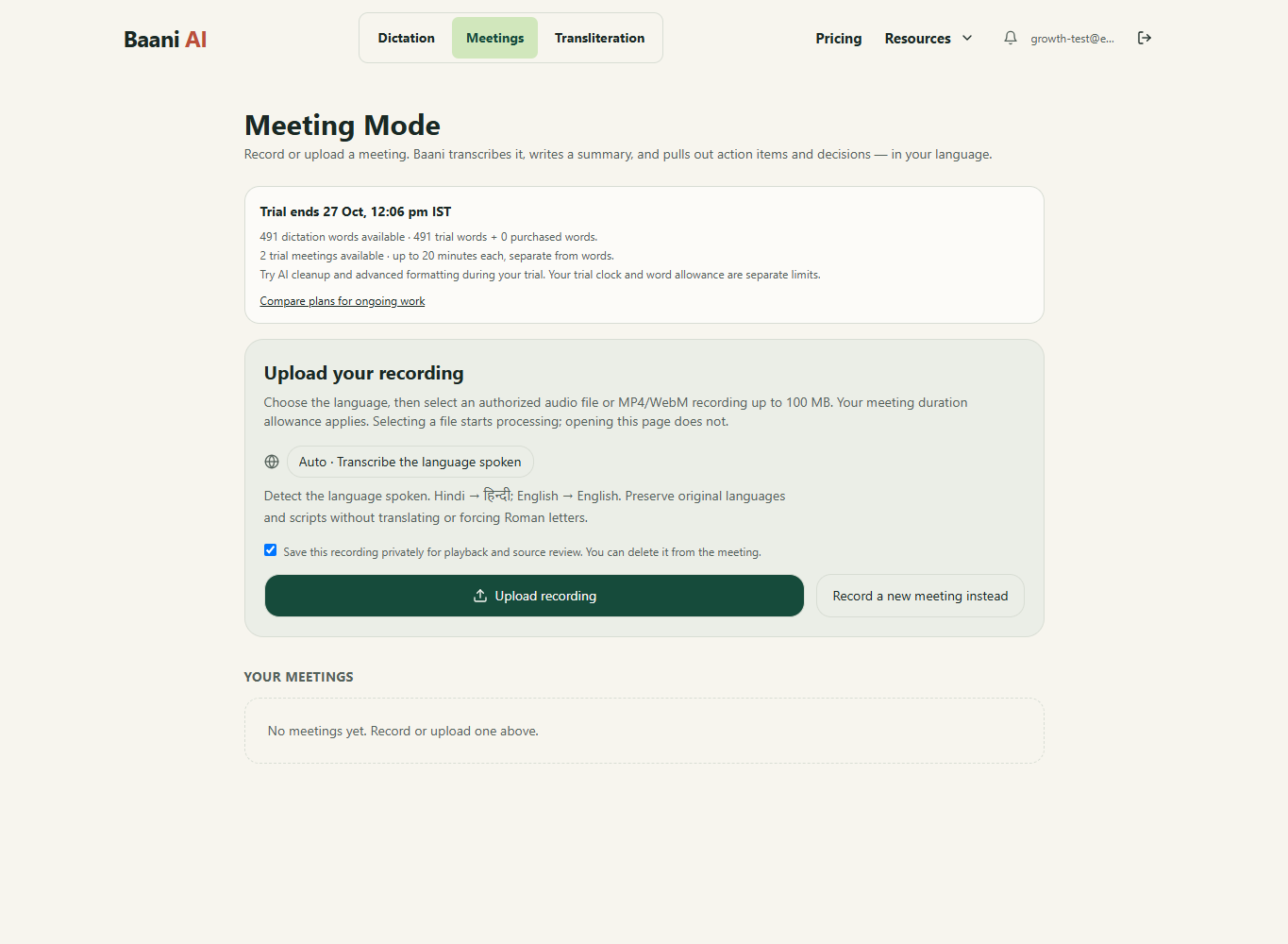
To transcribe an M4A recording in Baani, open Meetings in upload mode, choose the spoken language, select the authorized recording and review the resulting text. Playing the file into an ordinary microphone is unnecessary when you already have the recording.
Transcribe an M4A Recording: Upload, Review and Export
· 2 min read · Baani AI
Check the recording and limits
Listen to a short section in the original player. Confirm it contains the intended speakers and is not empty or corrupted. M4A is a supported upload format, alongside MP3, WAV, WebM and MP4. The upload must be within 100 MB and your permitted recording duration. A supported filename alone does not prove that a file contains usable audio.
Open upload mode
Sign in through recording upload. Upload should be the prominent action, but the file picker does not open automatically. Choose the file yourself and read any validation message before processing.
Choose the spoken language
Choose the main language carrying the conversation, or automatic language detection for a generic recording. Check an explicit output choice if offered. A recording-upload guide should not send you to ordinary microphone dictation or imply automatic translation.
Review and correct
Wait for processing and inspect the transcript. Correct names, amounts and missing words. Review any summary, decisions and action items against the transcript; assign owners and dates only when the source establishes them. Editable speaker labels are not proof of automatic identity recognition.
Export
Use the available transcript and summary exports: TXT, Markdown or a Word-compatible document. Check the exported document before sharing. Keep a copy of important text; account meeting records are different from device-local dictation history.
Unsupported or oversized files
Renaming an extension does not convert a codec. Return to the original recording app and export an appropriate supported audio format when possible. For oversized recordings, check file size and duration separately. Do not split a recording to evade allowance restrictions.
The trial includes two meetings up to 20 minutes each over two days. Paid duration tiers are 60, 90 and 120 minutes; all retain the 100 MB upload cap. The ₹99 word pack excludes meetings. Compare recording access or read the MP3 workflow.
Turn the recording into reviewed meeting notes
Sign in, choose an authorized recording and review its transcript, summary and action items. The 2-day trial includes 2 meetings of up to 20 minutes each; uploads use meeting access, not dictation words.
Review the result before sending it. Your existing trial or paid plan limits apply.
Which offer fits this task?
For recorded meetings, compare Starter: up to 60 minutes per recording; Pro: up to 90 minutes per recording; Ultra: up to 120 minutes per recording. The word pack does not include meetings. Compare meeting plans.
Pay by UPI, submit the transaction ID and wait for manual verification before access is activated. A pending submission is not paid access.