An existing MP3 needs file transcription, not a microphone recording of your speakers. Open Baani's recording upload, sign in and select your authorized file. Automatic language is the starting option for this generic guide; choose a specific language and script when you know the intended output.
How to Transcribe an MP3 to Text Online
· 3 min read · Baani AI
Prepare the right recording
Listen locally before uploading. Check that the file opens, the intended speakers are audible, and music or silence does not dominate the useful section. A filename ending in .mp3 does not repair damaged audio or change its encoding. If the browser cannot decode it, export a compatible audio copy using your recording software; renaming the extension is not conversion.
Upload, then review
- Sign in through the upload link. Check the language/output selector and your available meeting allowance.
- Review whether to keep the recording for private playback. Choose Upload recording and select the file yourself.
- Wait while Baani prepares and transcribes the audio. Keep this page open; do not repeatedly select the same file while processing.
- Open the transcript and review names, numbers, technical terms and omissions against the source.
- Review summary, decisions and action items if useful, then export or copy the reviewed result.
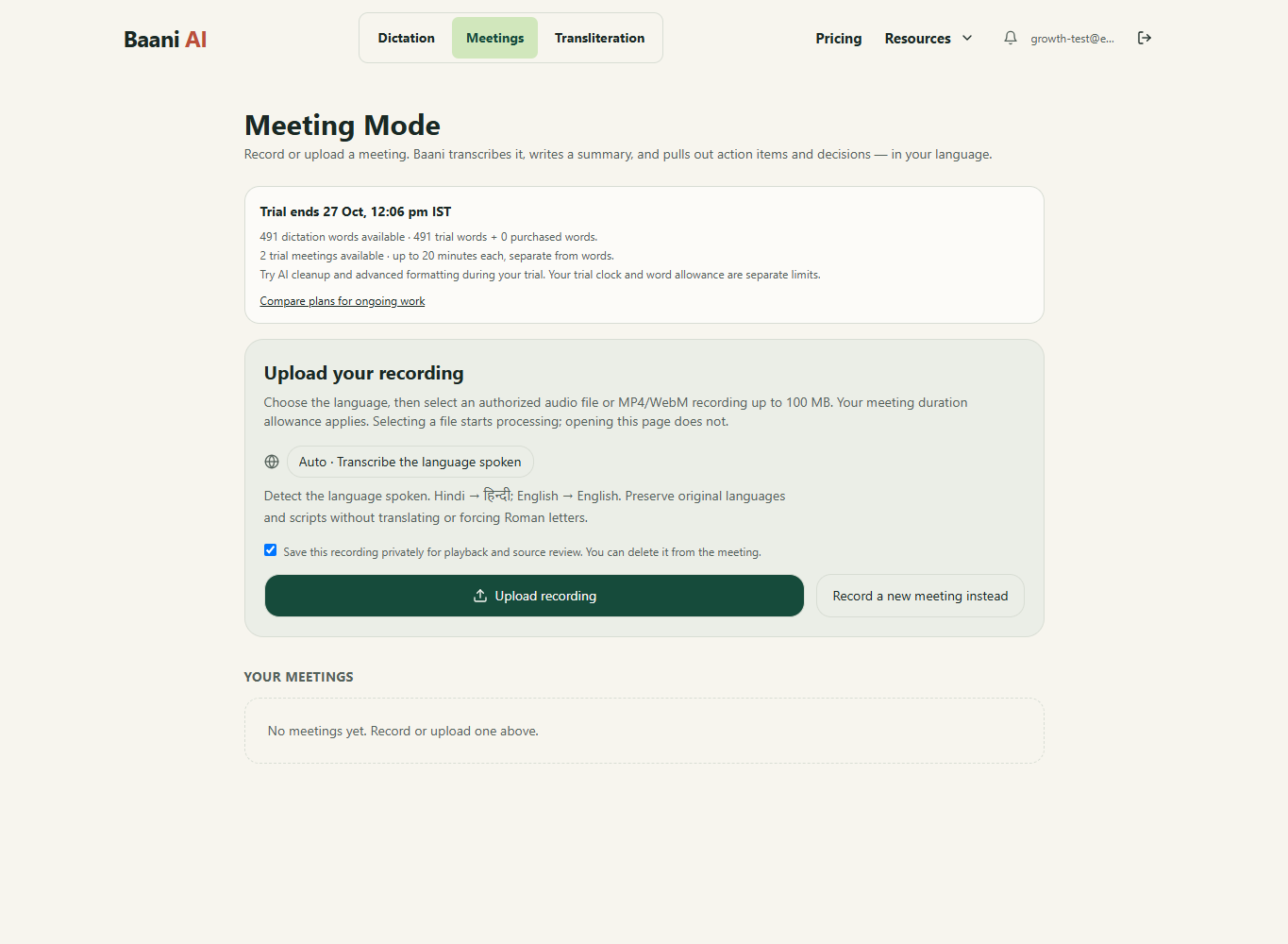
Interface screenshot from a controlled test account. The shown allowance is illustrative; your account displays its own remaining access.
For an interview or podcast, the transcript is source material for editing. A meeting-style summary may be less useful than the reviewed transcript. This workflow does not promise a production-ready subtitle file, automatic identity verification or an official podcast integration.
Review a useful follow-up, not just a transcript
After processing, open the transcript and check the spoken content before trusting the summary. Review names, amounts, negative statements and commitments against the recording. Edit the title and summary, inspect decisions and action items, and correct owners or deadlines that were not actually agreed. A missing owner should remain unassigned rather than guessed.
Speaker labels can be edited during review; do not treat a label as verified automatic identification. Export the reviewed notes using the existing export menu, or copy a recap to your team. Keep the original recording according to your organization's retention policy. A summary is a draft, not a substitute for approval of formal minutes.
Illustrative review checklist, not an actual transcription result: “Decision: use the revised proposal. Action: confirm the delivery date. Owner: confirm from the recording. Due: not agreed.” See decisions and actions and meeting transcription.
Recording limits and access
Baani accepts audio files and MP4/WebM video recordings through Upload recording, up to 100 MB. Browser decoding must support the file's codec; an extension alone does not guarantee compatibility. Your plan's duration limit also applies. The 2-day trial includes 2 meetings up to 20 minutes each, separate from 500 dictation words. Starter supports up to 60 minutes per recording, Pro 90 and Ultra 120. Compare current plans. The ₹99 dictation pack does not unlock uploads, meeting summaries or advanced formatting. UPI purchases require manual verification before activation.
Only upload recordings you are authorized to process. Baani offers an option to keep the recording for private playback; review that choice before selecting the file. Do not upload confidential material merely to try a feature.
For related formats, see M4A transcription and video transcription. For your own new spoken draft, use voice typing workflows instead of uploading.
Turn the recording into reviewed meeting notes
Sign in, choose an authorized recording and review its transcript, summary and action items. The 2-day trial includes 2 meetings of up to 20 minutes each; uploads use meeting access, not dictation words.
Review the result before sending it. Your existing trial or paid plan limits apply.
Which offer fits this task?
For recorded meetings, compare Starter: up to 60 minutes per recording; Pro: up to 90 minutes per recording; Ultra: up to 120 minutes per recording. The word pack does not include meetings. Compare meeting plans.
Pay by UPI, submit the transaction ID and wait for manual verification before access is activated. A pending submission is not paid access.